
Rabby is asking for a password you can't remember, and DeBank, the company behind it, has no reset link to send you. Rabby's lock screen does offer a reset, but it works by deleting your wallet. If Rabby is still installed and you haven't reset it, the encrypted wallet is still sitting in your browser, and a forgotten password on an encrypted wallet is often recoverable. This guide covers how Rabby's password works, what you can try yourself, and what to do when that runs out.
This guide covers a forgotten password on a Rabby wallet you still have installed. If you've lost your recovery phrase, read our Rabby recovery phrase guide instead.
We recover crypto wallets for a living, so we'll tell you what's realistic.
How Rabby stores your keys and password
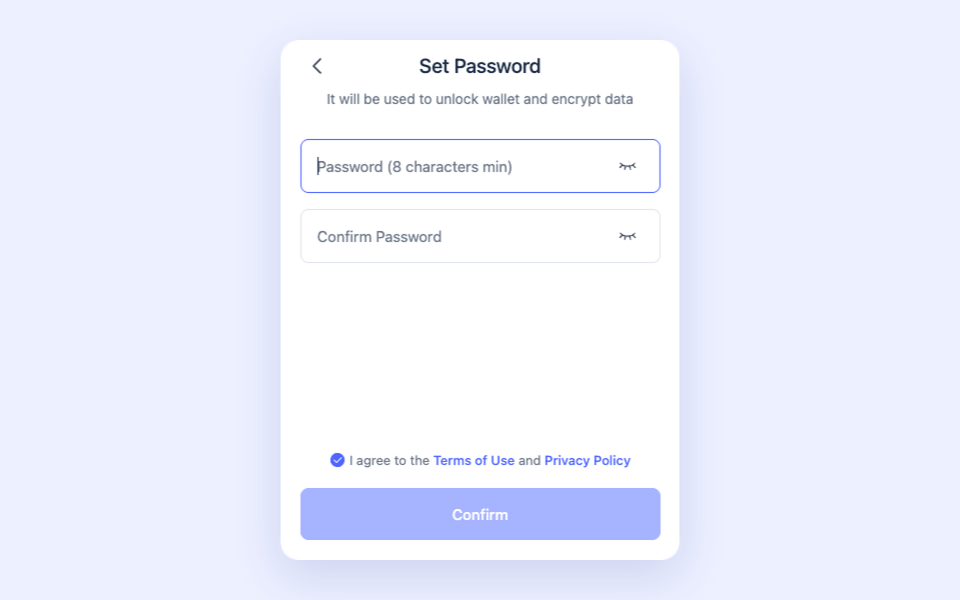
Rabby uses the same encrypted-vault design as MetaMask. Your password encrypts your keys and recovery phrase, and Rabby stores that encrypted vault in your browser's local storage. DeBank never sees any of it, so DeBank can't reset your password.
Rabby's official fix for a forgotten password is a reset. On the extension's lock screen, you type RESET to confirm, and Rabby permanently deletes the encrypted seed phrase and private keys from your browser. Then you re-import your recovery phrase and choose a new password. The reset keeps your hardware-wallet addresses, watch-only addresses, contacts and whitelist. The mobile app has no reset button; Rabby's answer there is to uninstall and reinstall, which wipes the app's encrypted data the same way.
If you have your recovery phrase, that reset is harmless. If you don't, don't type RESET and don't reinstall. The encrypted vault the reset deletes is your one remaining way in. Your password alone locks it, and specialists can work on it offline.
Password or recovery phrase: which problem do you have?
- You have your recovery phrase. Skip password recovery. Re-import the phrase into Rabby and set a new password.
- You've lost the phrase and can't get past the password. The encrypted vault and offline recovery are your route.
- You've lost the phrase and Rabby is no longer installed anywhere. There's usually no way back. More on that below.
- Your address is on a Ledger, Trezor or other hardware wallet. Your keys never lived in Rabby, so the password isn't guarding them. Reset Rabby (it keeps hardware-wallet addresses) and reconnect the device. Just don't reset if the same Rabby also holds phrase-based addresses you can't restore.
One Rabby-specific check: if you added an address as watch-only, Rabby can show its balance but could never send from it. No password unlocks a watch-only address. You'd need the keys or recovery phrase for the wallet that owns it.
Before you start: what you need
- The browser profile where Rabby is still installed. The encrypted vault lives there. Don't reset Rabby, uninstall the extension, or clear that browser's data.
- Your best password guesses: passwords you reuse, old variations, notes from setup.
- Your password manager and browser autofill. Check these first.
You won't need your recovery phrase for any of this. Password recovery works on the encrypted vault.
DIY recovery, step by step
1. Search your saved passwords
Look through your password manager, browser autofill, and notes apps for "Rabby," "DeBank," or "wallet." Many people find the password there and save themselves the trouble.
2. Check every device that has Rabby
Each Rabby install has its own password. If you set up the extension on a laptop and the app on your phone, they may not share one, and you may have used Face ID on the phone and never typed a password at all. If any install still opens, go to the address's settings, choose Backup Seed Phrase, and write the phrase down. That copy fixes everything else.
3. Confirm the vault is still there
If Rabby opens to a password prompt, the encrypted vault is on that device. Recovery works from that file.
4. List your password building blocks
Write down the base words you reuse (names, pets, places), the numbers and symbols you add, your capitalization habits, and the passwords you used around the time you installed Rabby. Note every variation you can think of.
5. Organize them into a testing plan
Put those pieces into a structured list of words and the patterns you combine them with. Most forgotten passwords follow your usual habits with one detail you can't recall, and a methodical list catches that far more often than guessing does.
When DIY isn't enough: professional recovery
If you still have the encrypted Rabby vault and the password won't come back, this is the work we do. Crypto Asset Recovery uses secure, offline password cracking to recover access to encrypted Rabby wallets. You send us the vault and your list of candidates. We run the cracking on offline, air-gapped machines, so your keys are never exposed online.
You only pay if we succeed. Completely risk-free.
Tell us as much as you can about how you build passwords and when you set up the wallet; each detail improves the odds. If you'd rather not share every password you use, give us close variants or only the ones you think matter. That lowers the odds somewhat, and the choice is yours.
When recovery is not possible
If you have no recovery phrase and no encrypted vault (Rabby isn't installed anywhere and you kept no backup), there's nothing left to recover from, and the funds are likely gone. Self-custody has no master key.
Want to know how Rabby compares on security once you're back in? Read our Rabby Wallet safety review.
Why Choose Crypto Asset Recovery to Recover Your Rabby Wallet?
- Secure, offline recovery. The cracking runs on air-gapped, offline machines, so your keys are never exposed online.
- Thousands of wallets recovered across MetaMask, Trust Wallet, Blockchain.com, and more.
- Success-based pricing. You only pay if we get you back in.
- Talk to a real person. Reach out any time, and you can get on a Zoom with our founders, the father-and-son team Chris and Charles.
- Featured in BBC, Forbes, Vice, The Block, and Business Insider.
Frequently asked questions
Can I reset my Rabby password? Only with your recovery phrase. Rabby's reset deletes the encrypted wallet from your browser, and you then re-import the wallet from the phrase. If you've lost the phrase, don't reset: you may still be able to recover the password from the encrypted vault, and the reset destroys it.
Can DeBank or Rabby recover my password for me? No. Rabby is non-custodial, so it stores no password and can't reset it or give you your recovery phrase.
How long does recovery take? Anywhere from about 20 to 30 minutes to, in our longest case, over two years. Most of that time is passive. You send us your encrypted wallet and your best password guesses, we run the recovery on our own machines, and we come back to you for fresh guesses each time we finish a batch. Once we've looked at your case, we'll give you a straight read on your odds.
Is it safe to send you my wallet file? Yes. Crypto Asset Recovery is a registered company in New Hampshire, run by a public father-and-son team, Chris and Charles. We work only from your encrypted wallet file and your password guesses, and neither can move your funds. Most people's real worry is whether a recovery service is a scam. We operate in the open, and misusing a client's wallet would land us in court fast.
I can see my balance in Rabby but can't send. Is that a password problem? Probably not. Rabby shows watch-only addresses by design but can't send from them. You need the keys or recovery phrase for that wallet, not a password.


